English
Cherry Studio Setup Guide
Compatibility
The menu names may vary by version. GPT / Codex and Claude use different provider types and endpoints.
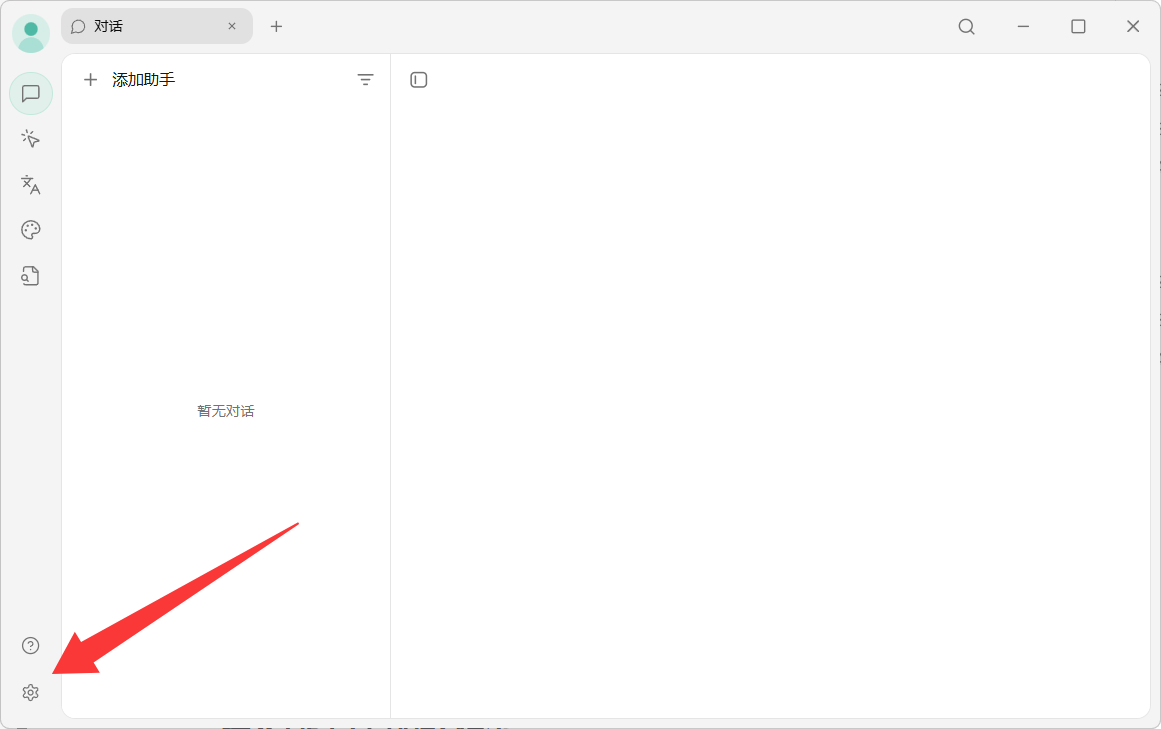
1. Open settings
Open Cherry Studio and enter Model Services.
2. Connect an OpenAI / Codex model
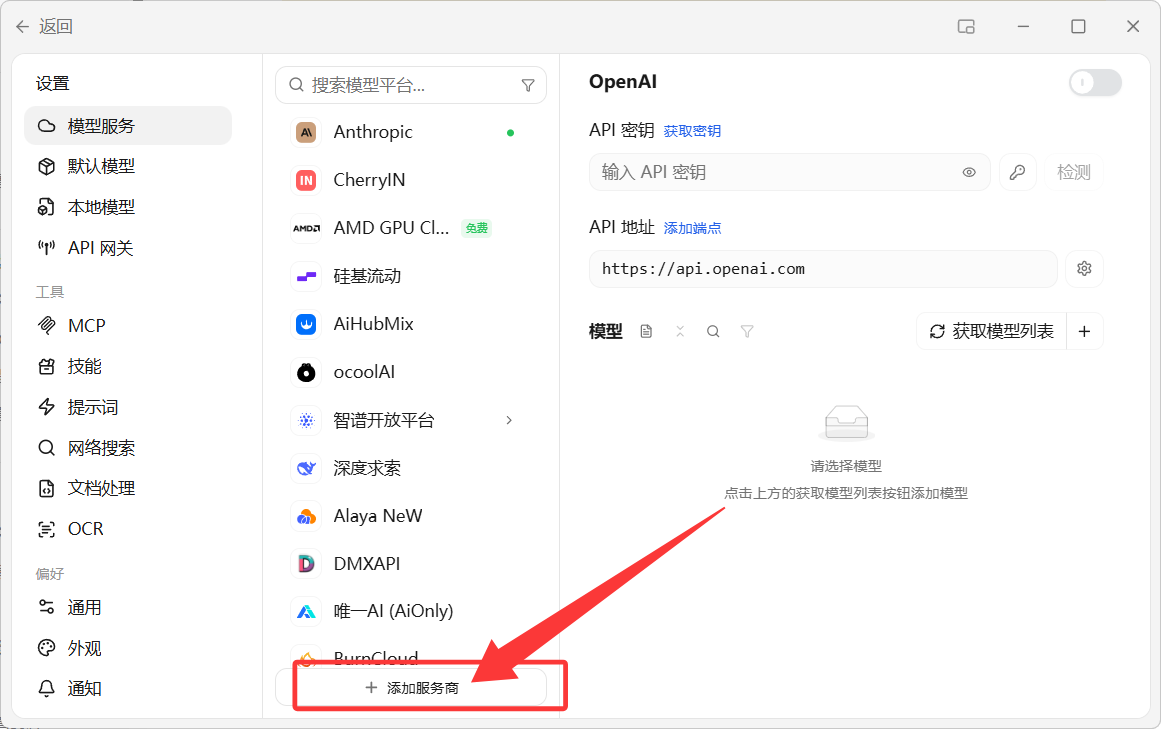
Add a provider
Enter the key and endpoint
text
Base URL: https://api.apixhm.com/v1
API Key:  your Yuan API key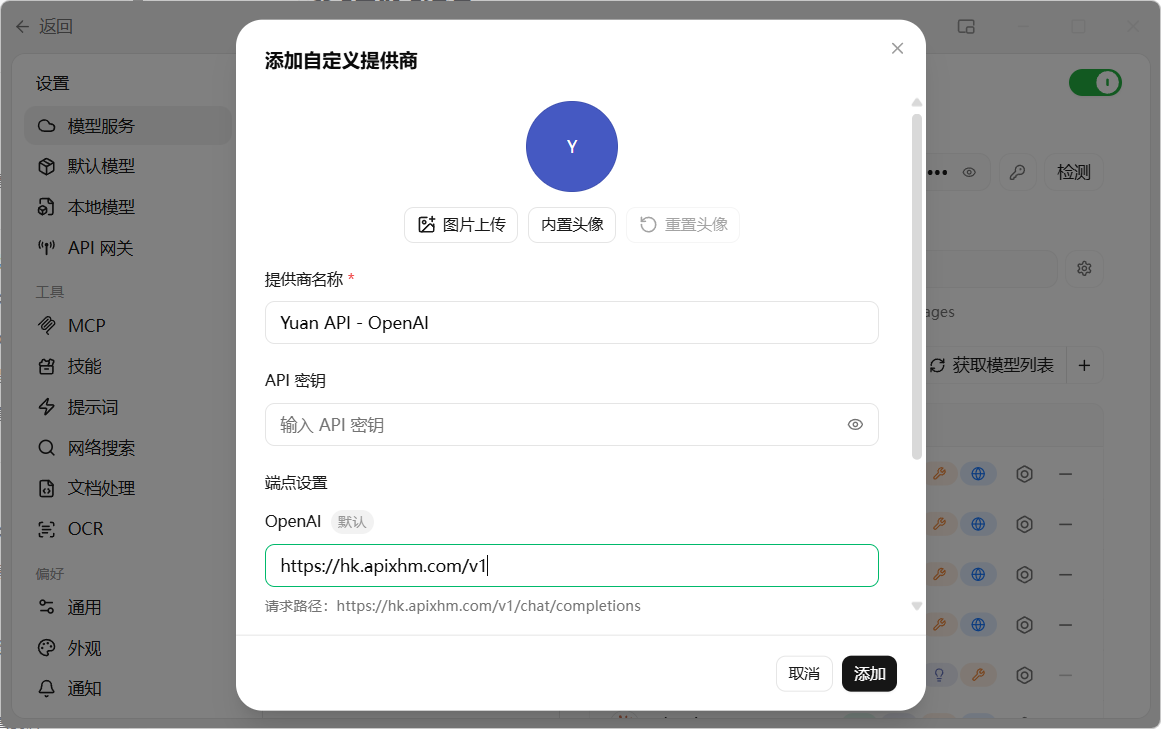
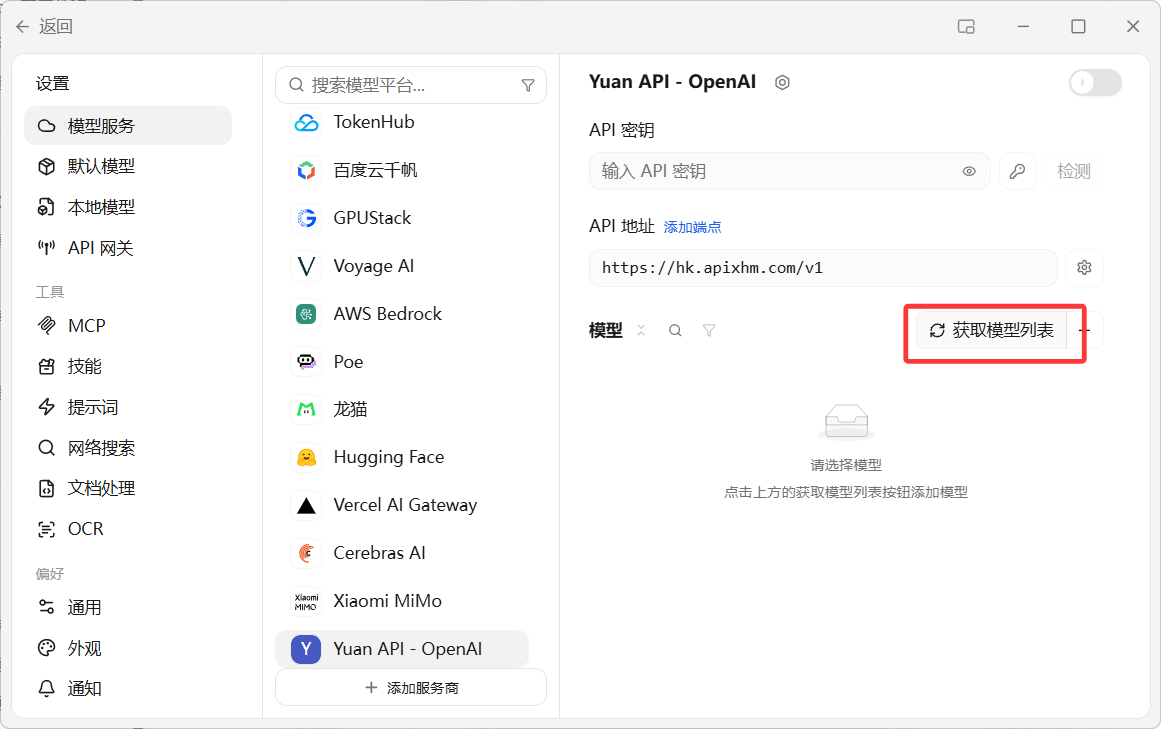
Fetch models
Click “Get model list” or add a model ID copied from the Yuan API pricing page.
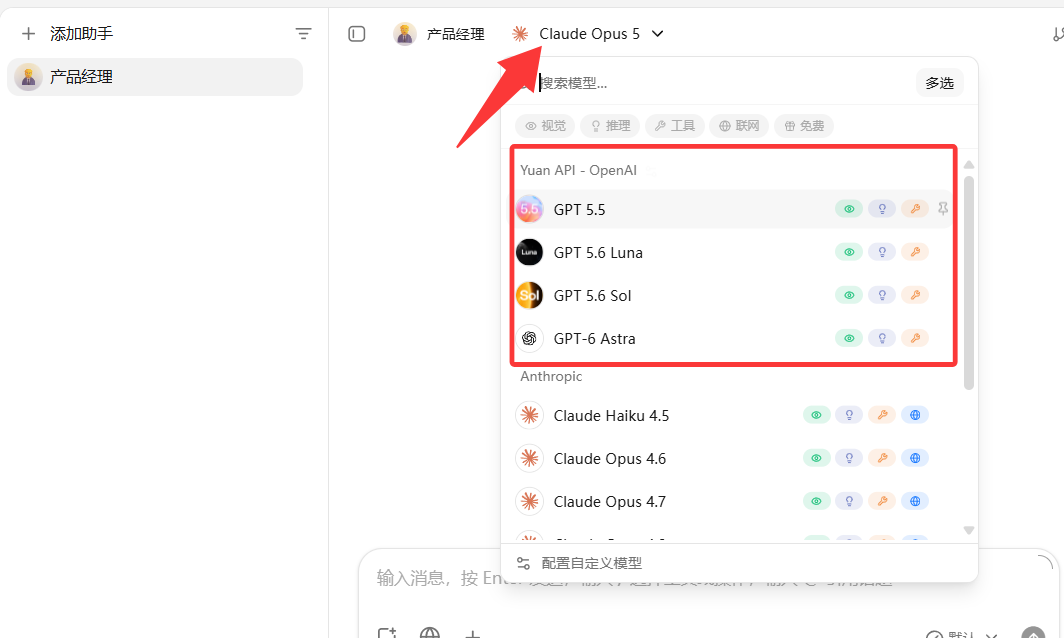
Select and chat
3. Connect a Claude model
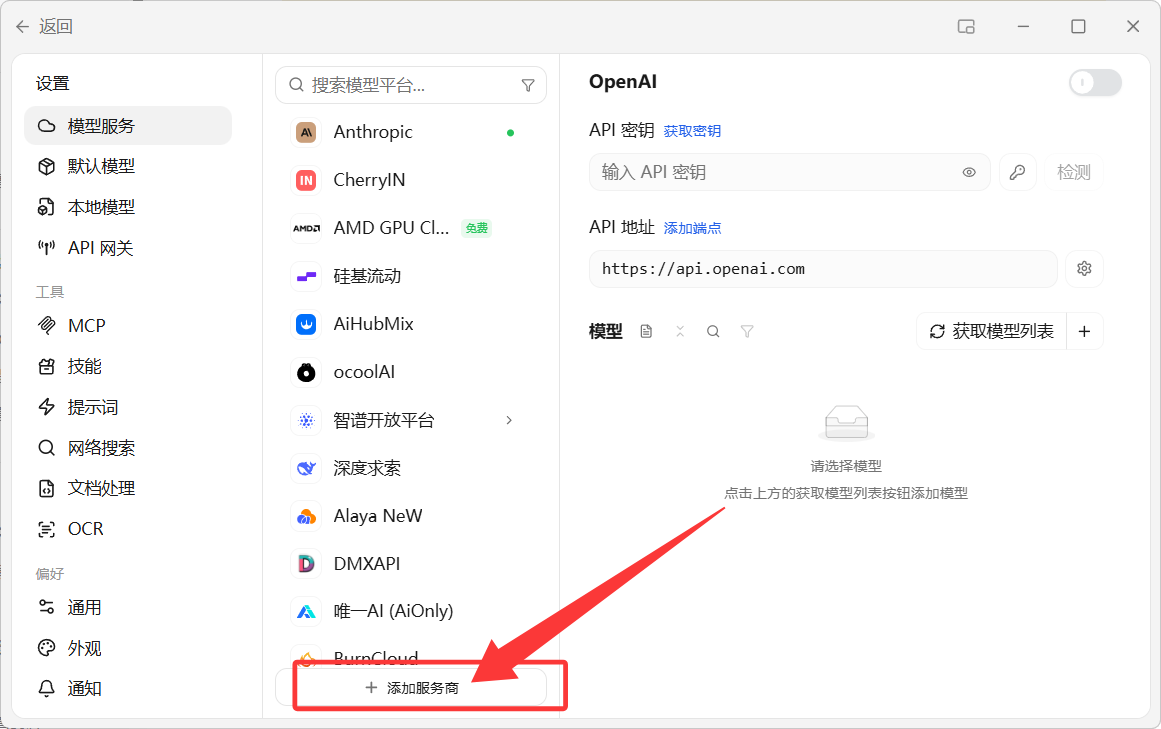
Add a provider
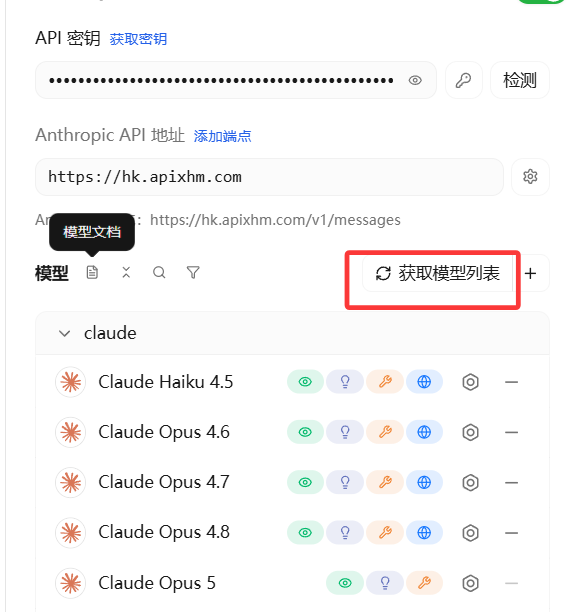
Create a separate Anthropic / Claude provider.
Enter the key and endpoint
text
Base URL: https://api.apixhm.com
API Key:  your Yuan API key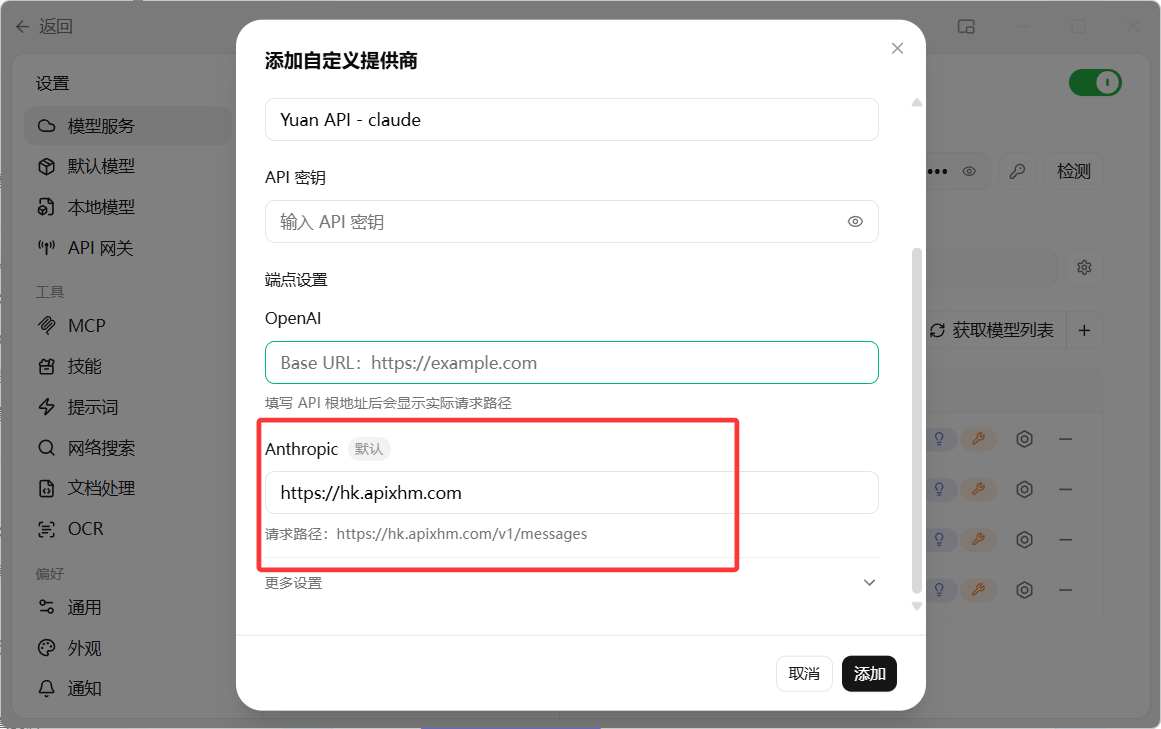
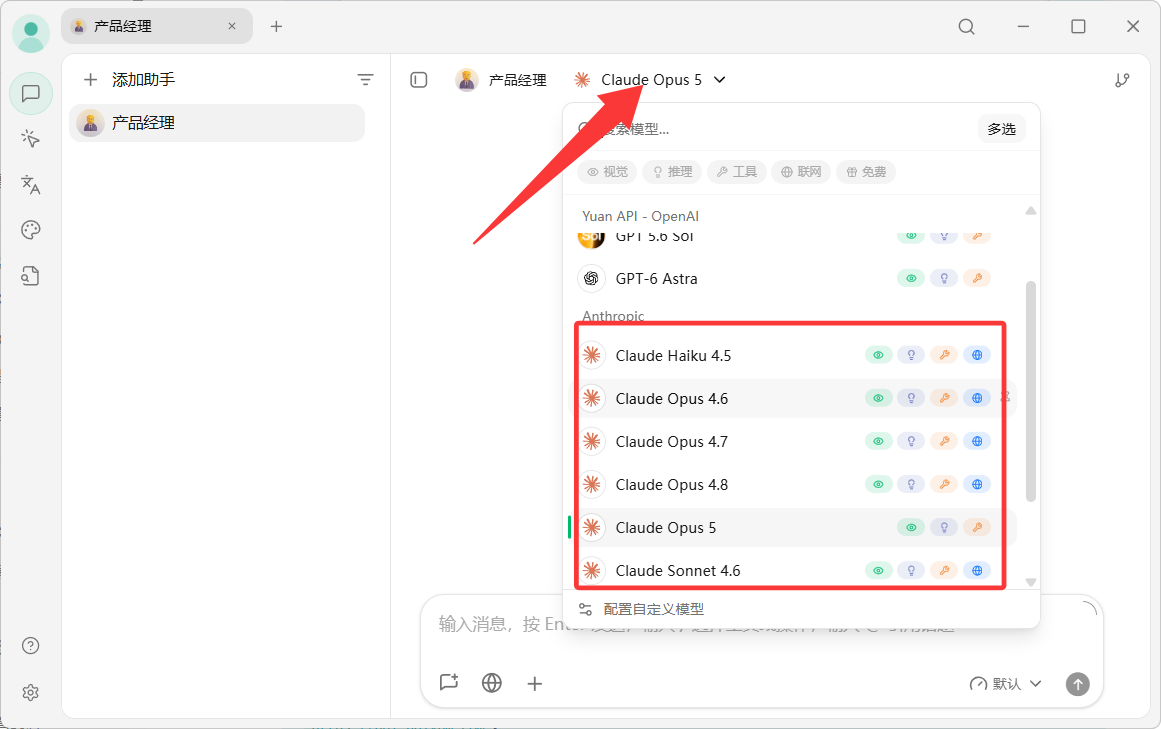
Fetch models and chat