English
Chatbox Setup Guide
Compatibility
Chatbox field names may vary by version. The screenshots below show the intended setup flow.
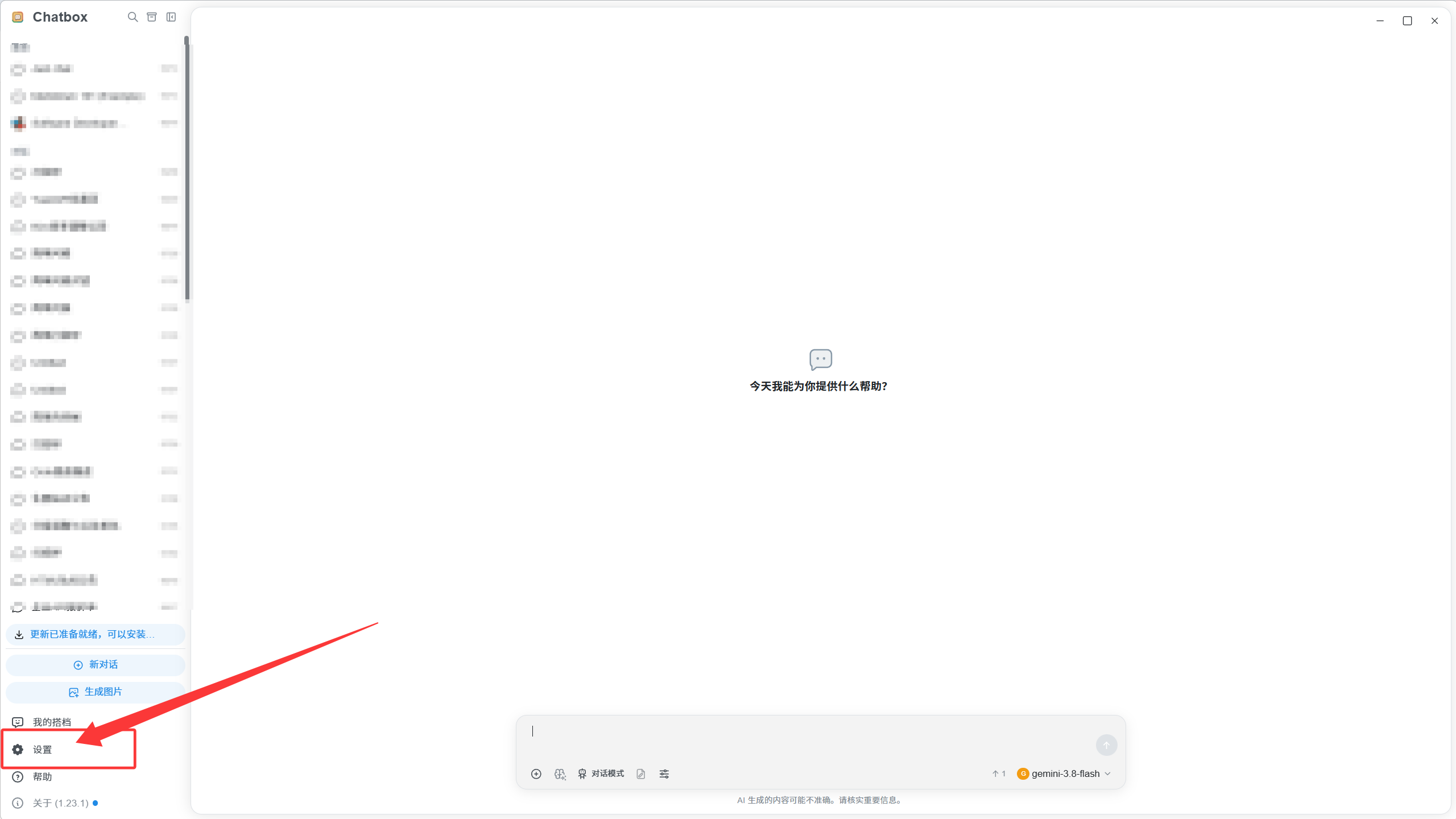
1. Open settings
Open Chatbox and enter Settings.
2. Connect an OpenAI / Codex model
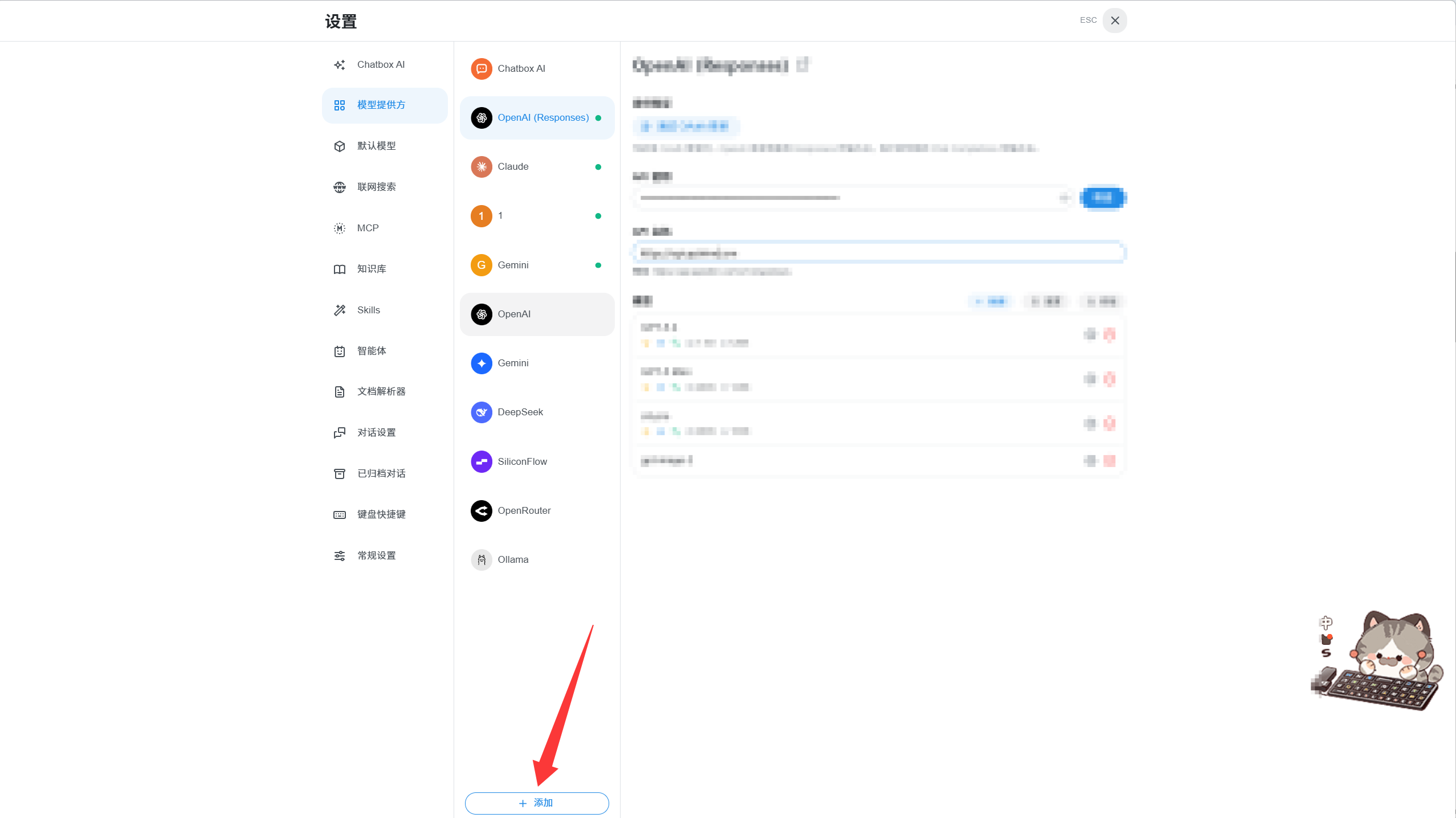
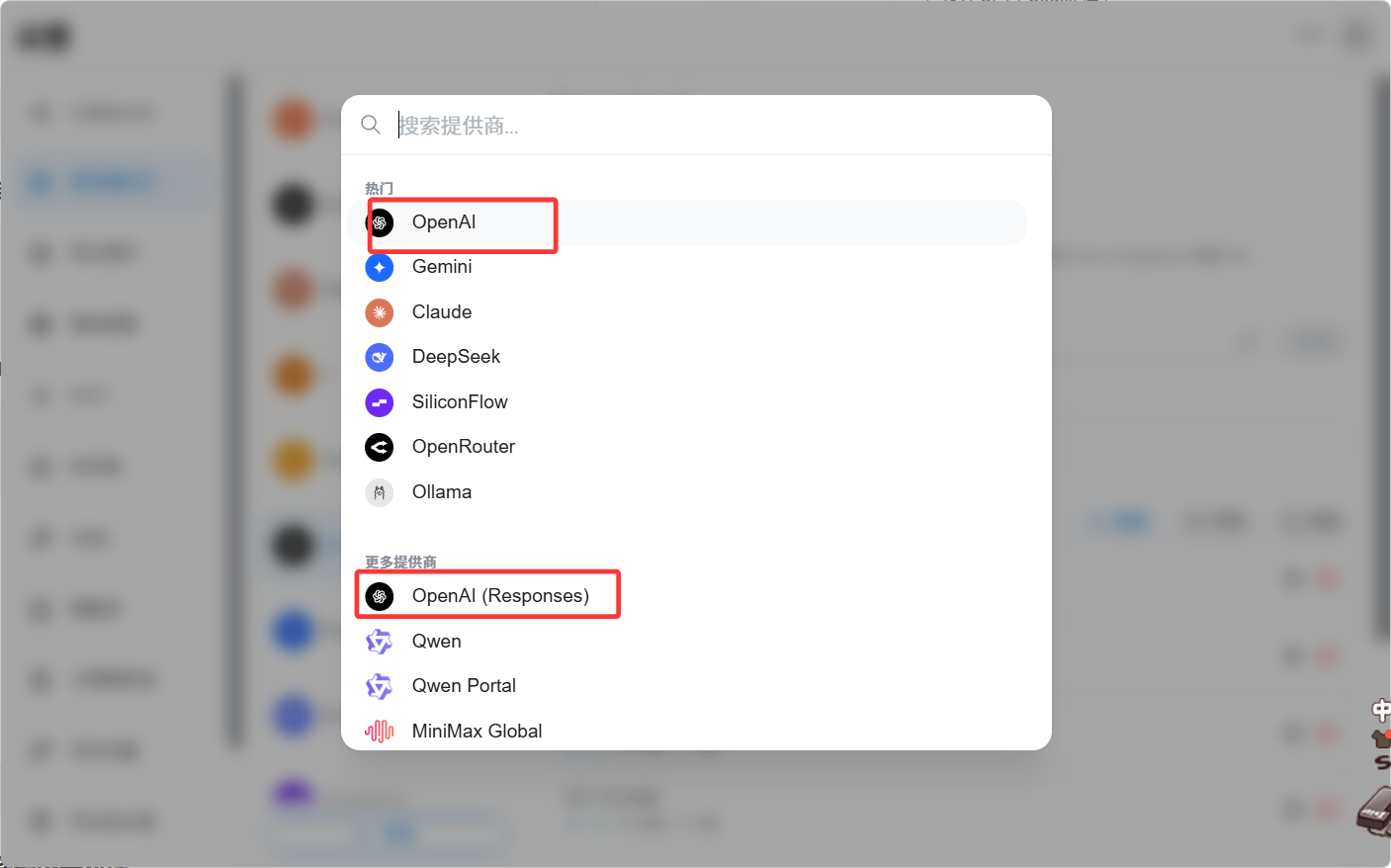
Add the provider
Choose an OpenAI-compatible provider.
Enter the key and endpoint
text
Base URL: https://api.apixhm.com/v1
API Key:  your Yuan API key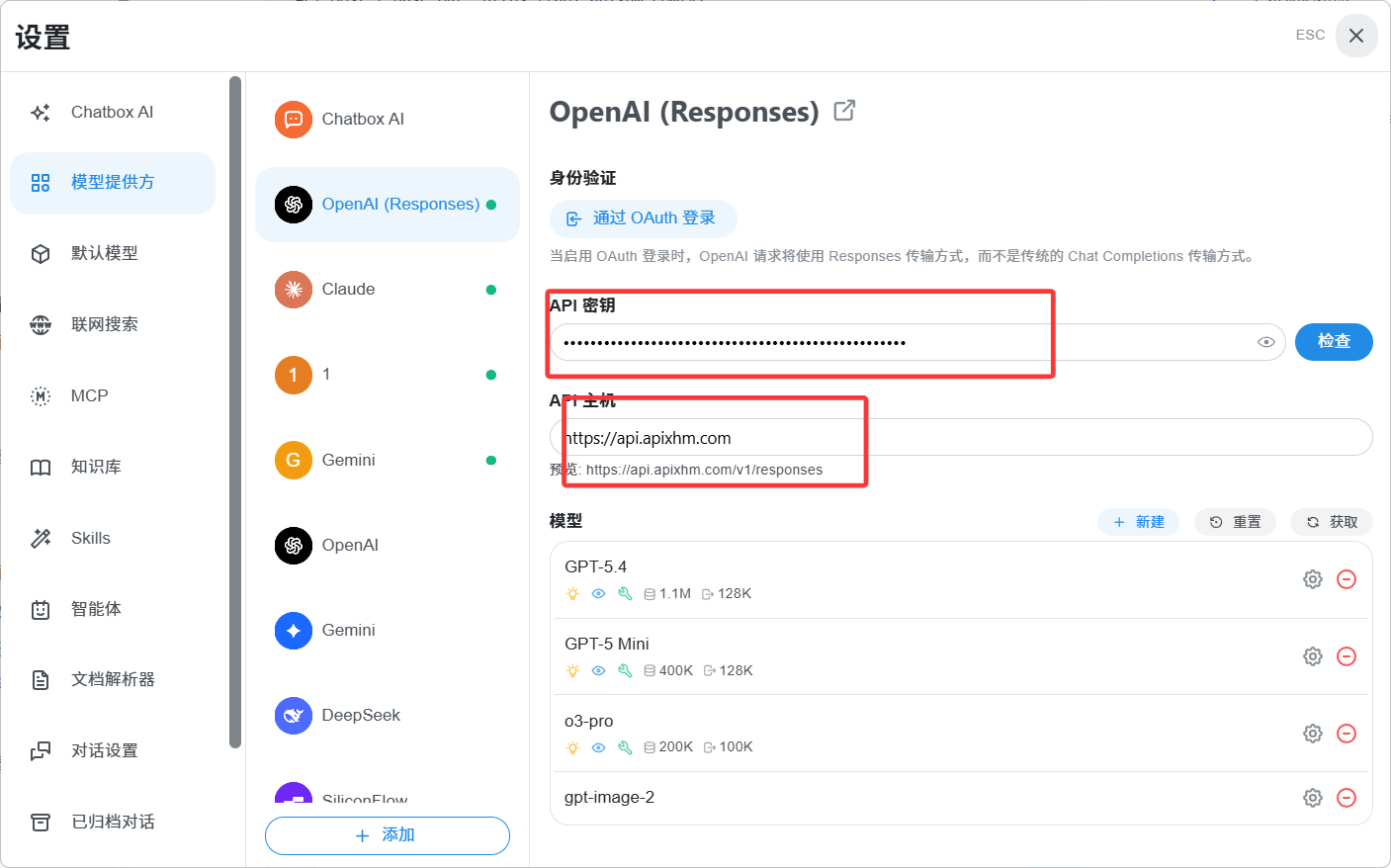
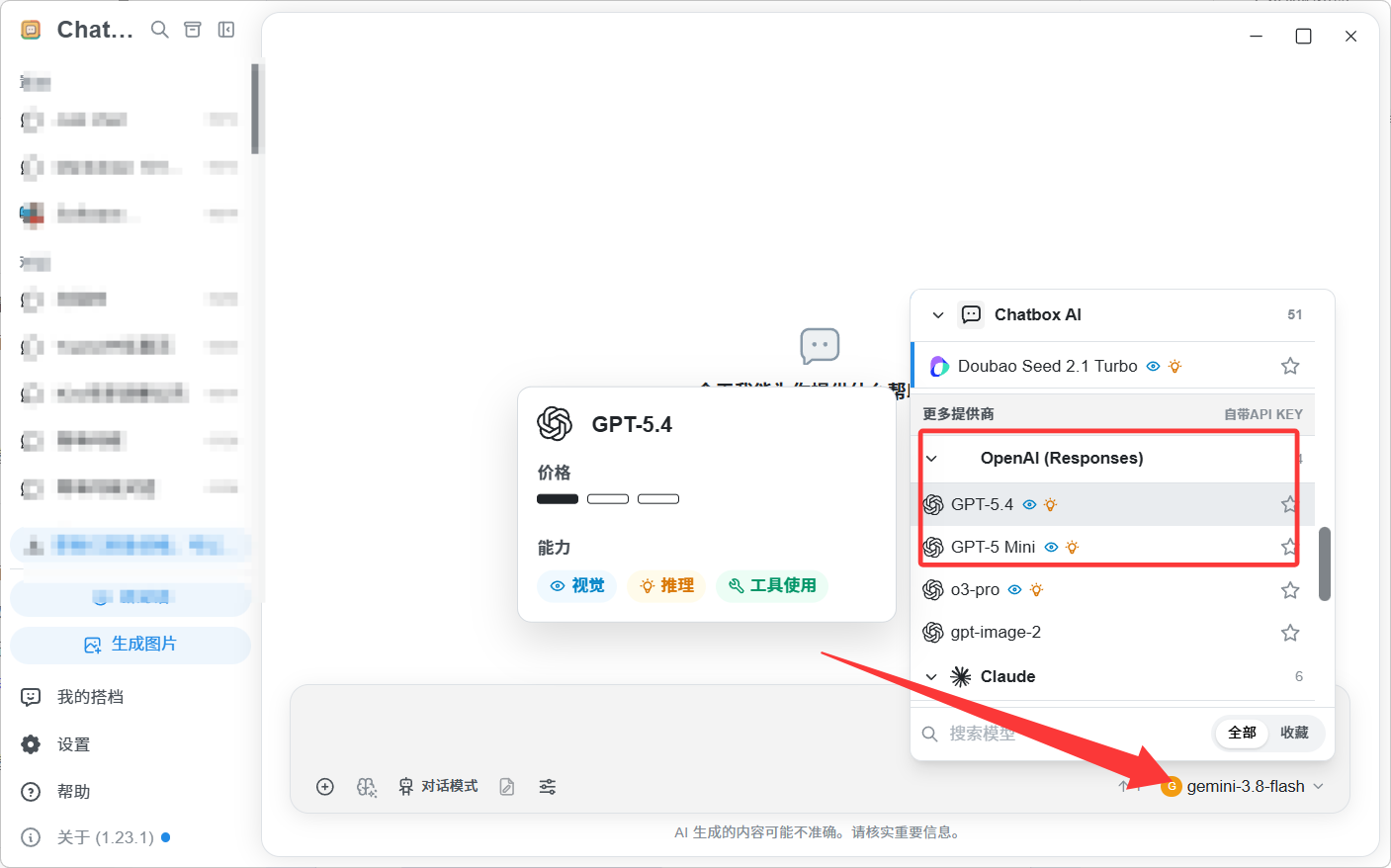
Select a model and chat
Copy the model ID from the Yuan API pricing page, select it, and send a short message.
3. Connect a Claude model
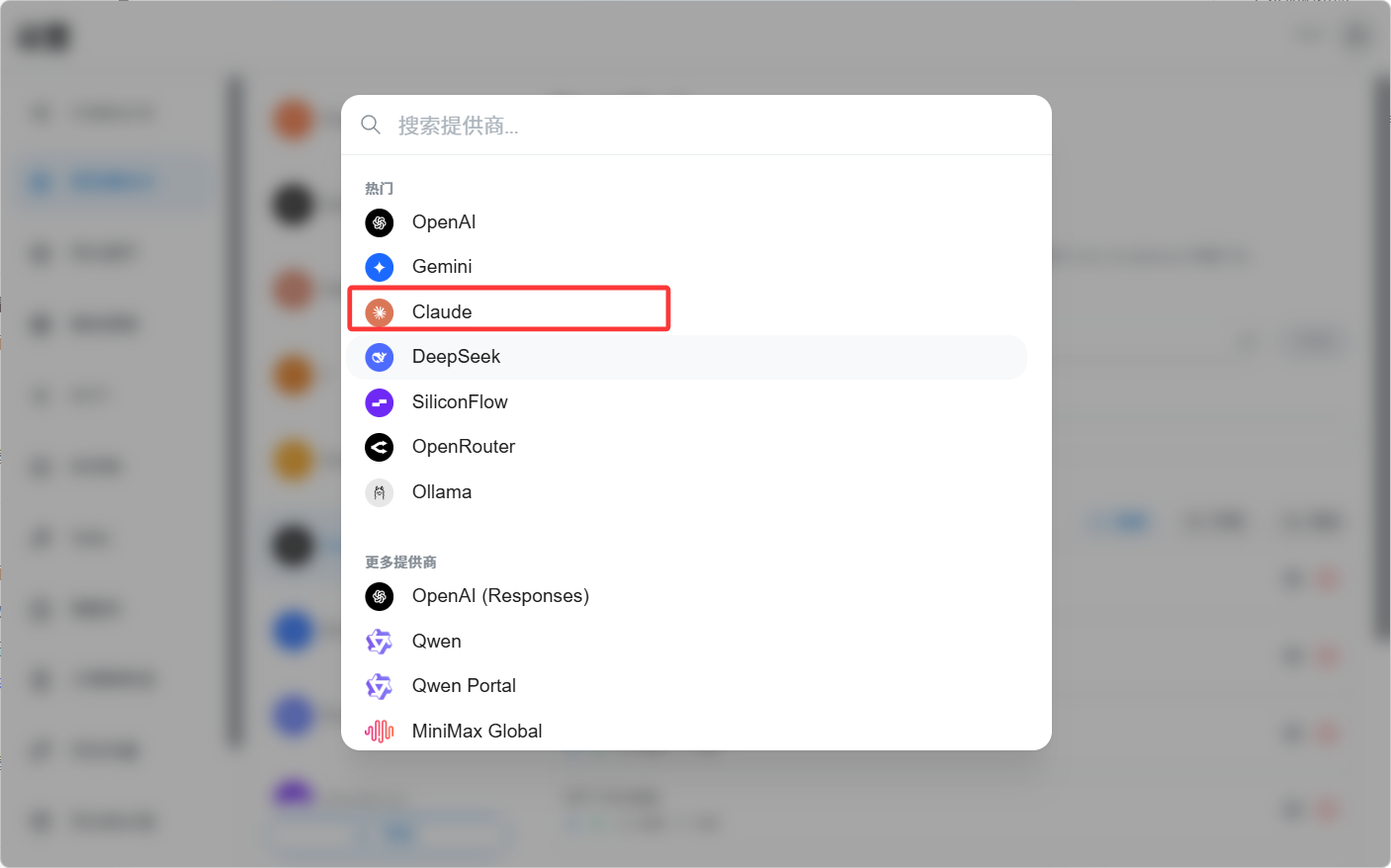
Choose the provider
Select Claude or Anthropic compatibility.
Enter the key and endpoint
text
Base URL: https://api.apixhm.com
API Key:  your Yuan API key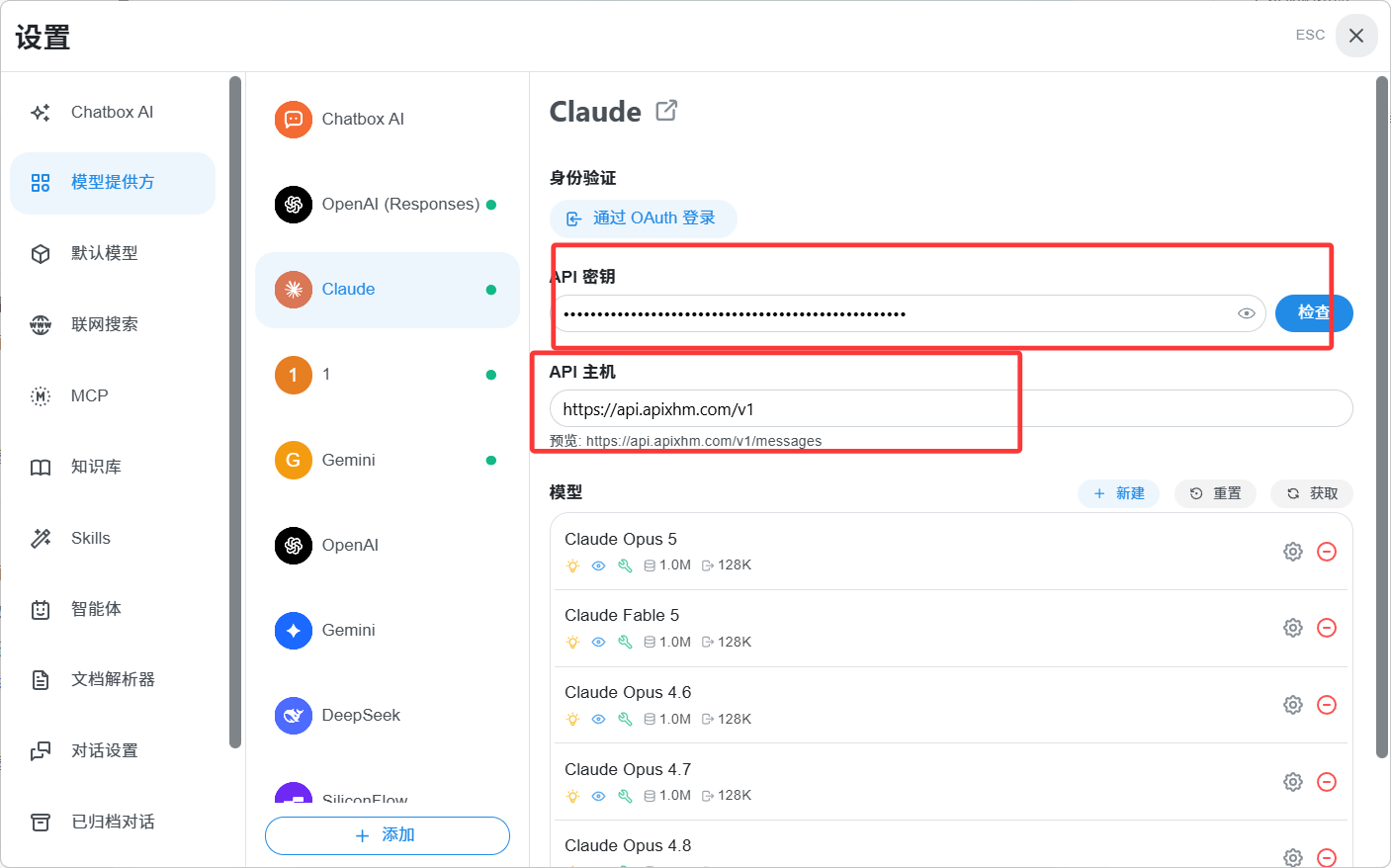
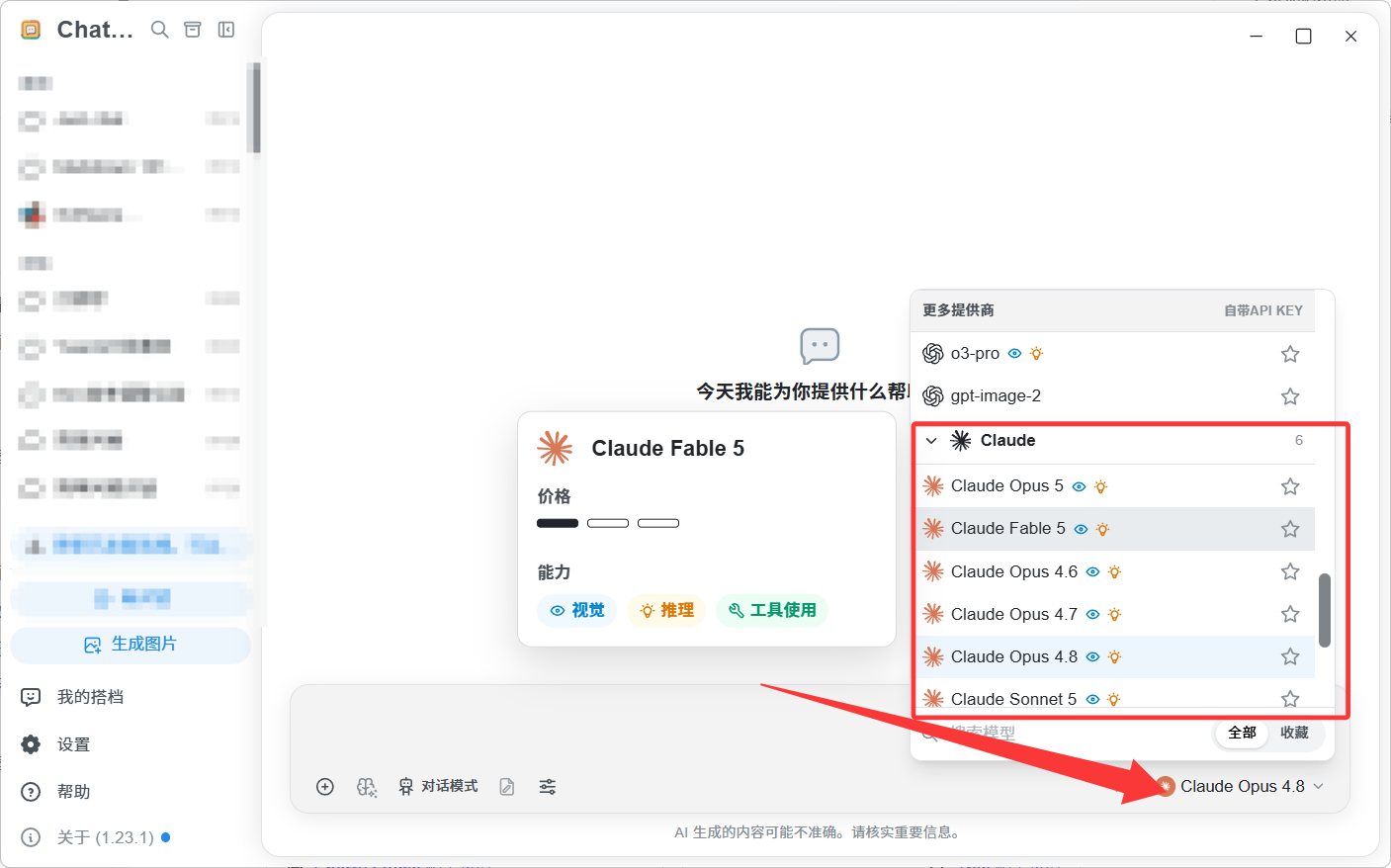
Select the Claude model and send a short message.