
English
CC-Switch: OpenCode
Compatibility
Third-party clients may have protocol differences. This guide covers basic setup only.
1. Add a provider
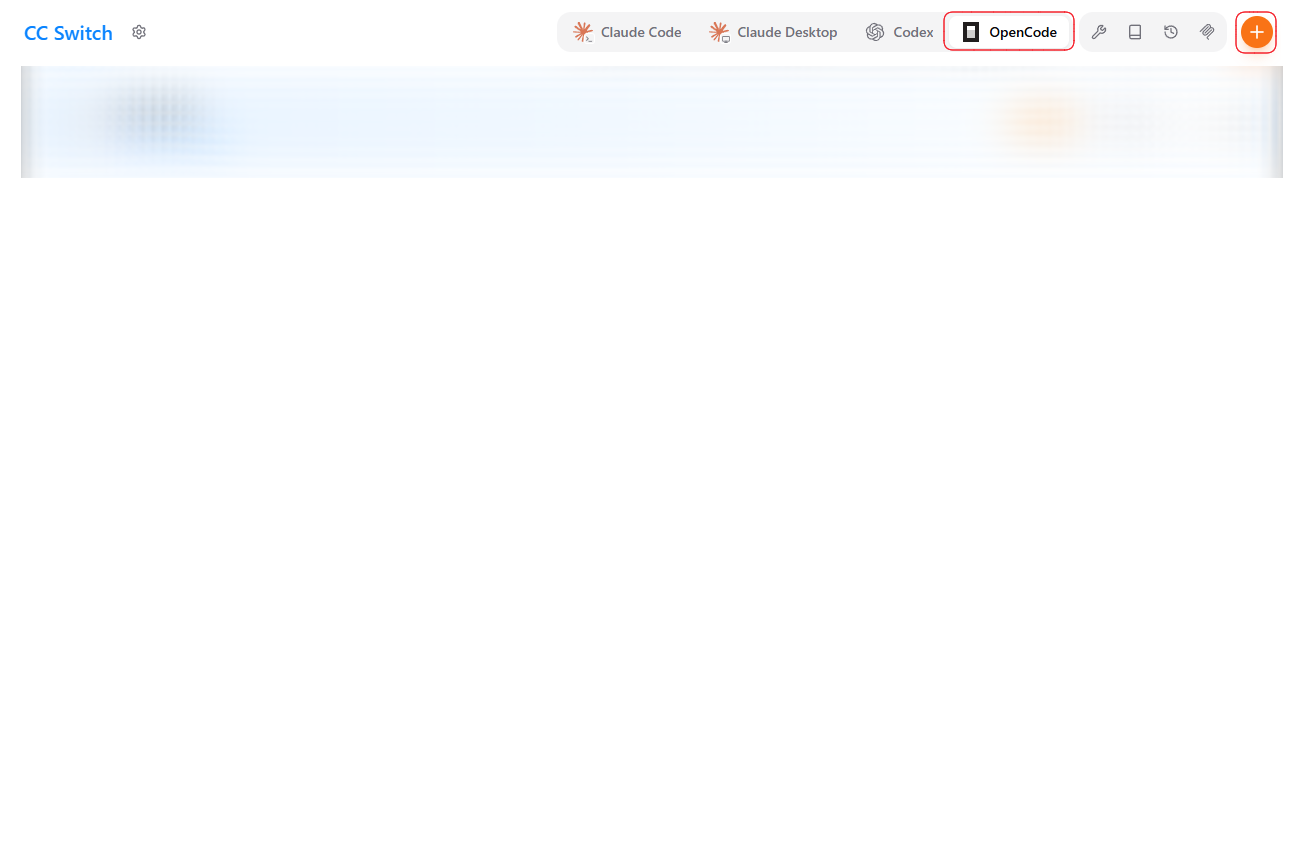
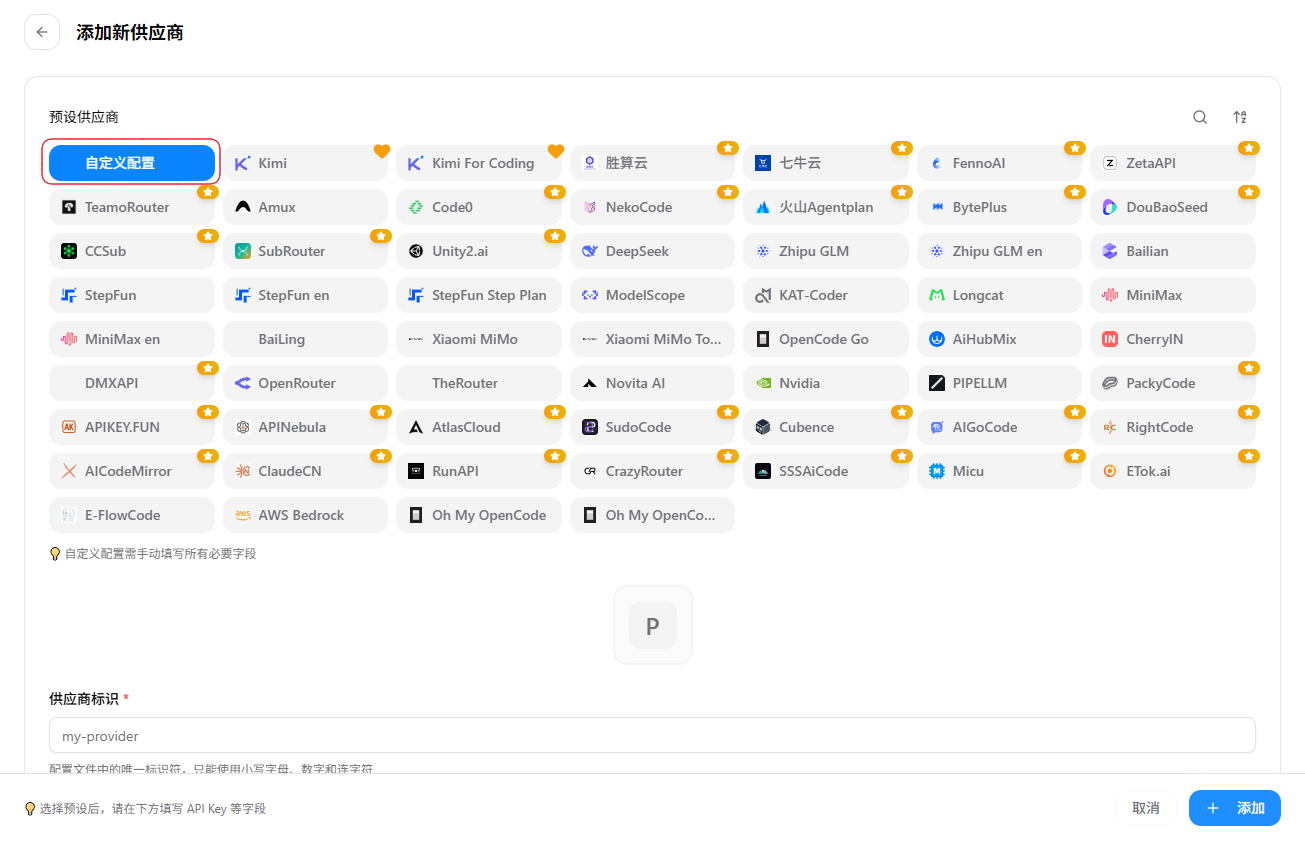
Open CC-Switch, select OpenCode, click “+”, and choose custom configuration.
2. Enter the settings
text
Provider ID: yuan-api
Provider name: Yuan API
API format: OpenAI-compatible
API key: your Yuan API key
Base URL: https://api.apixhm.com/v1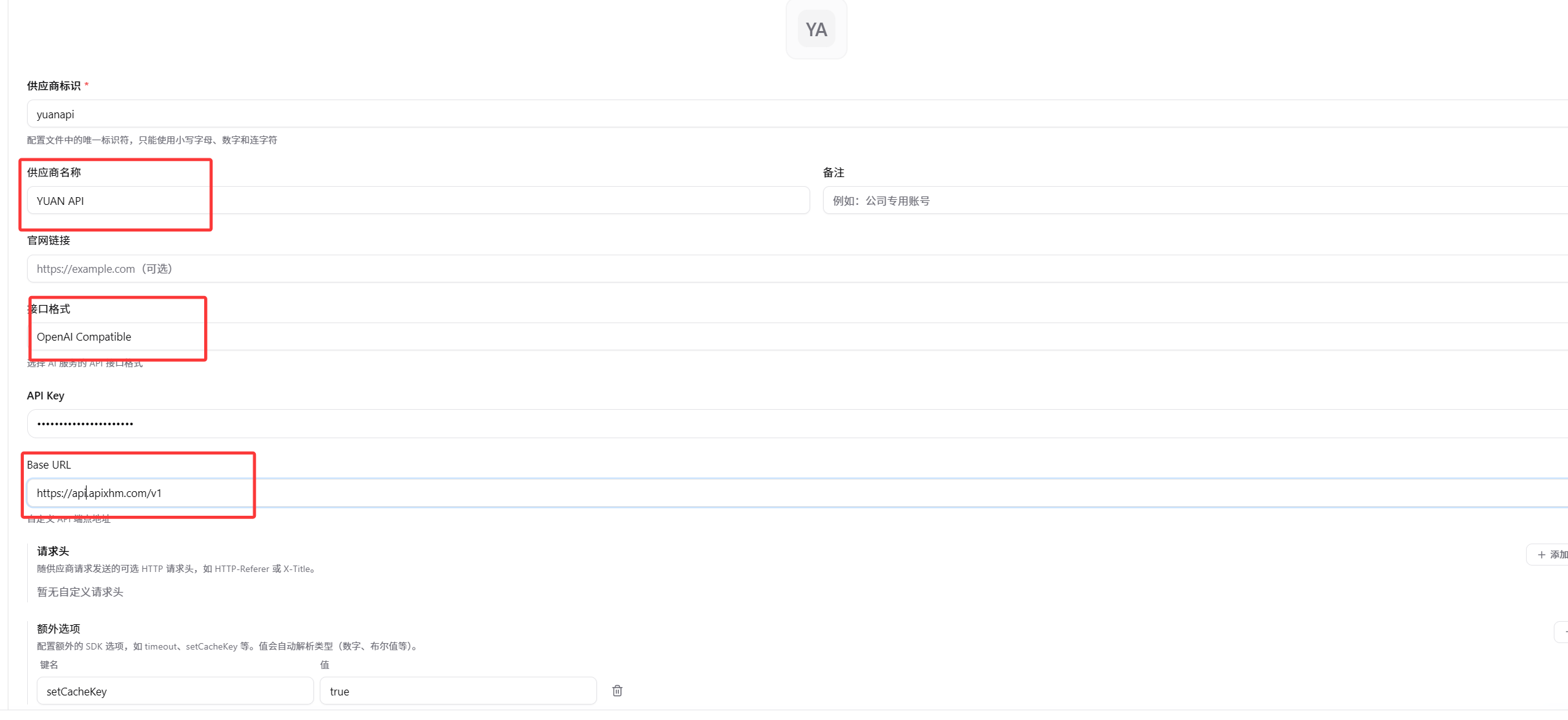
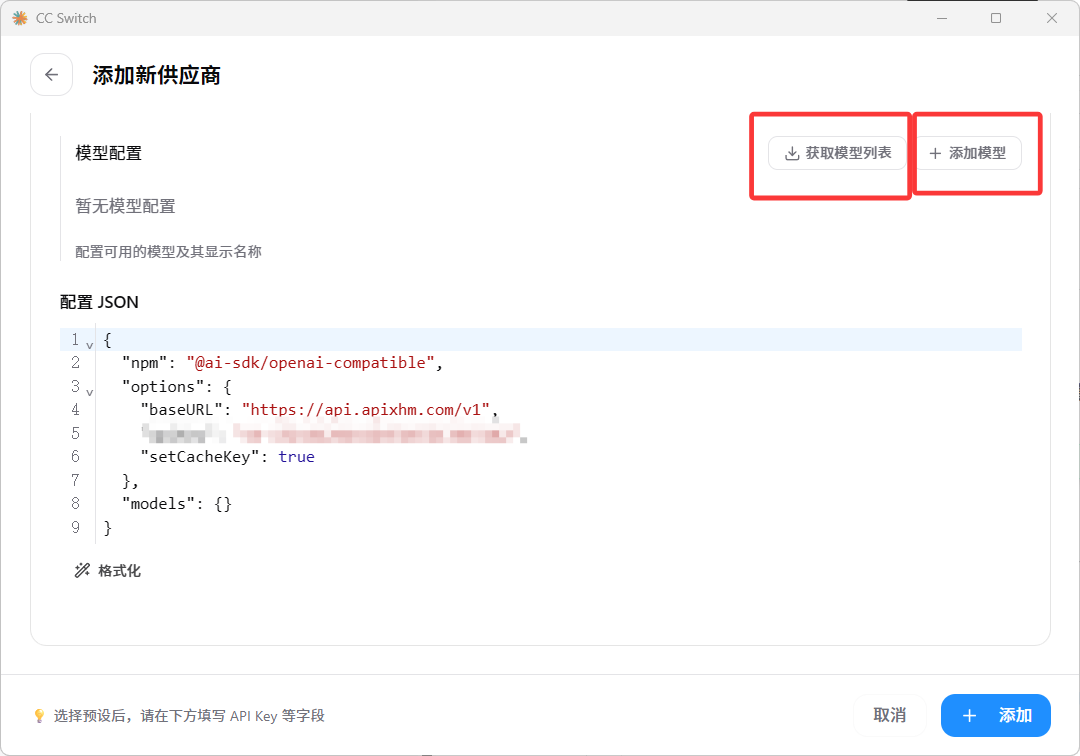
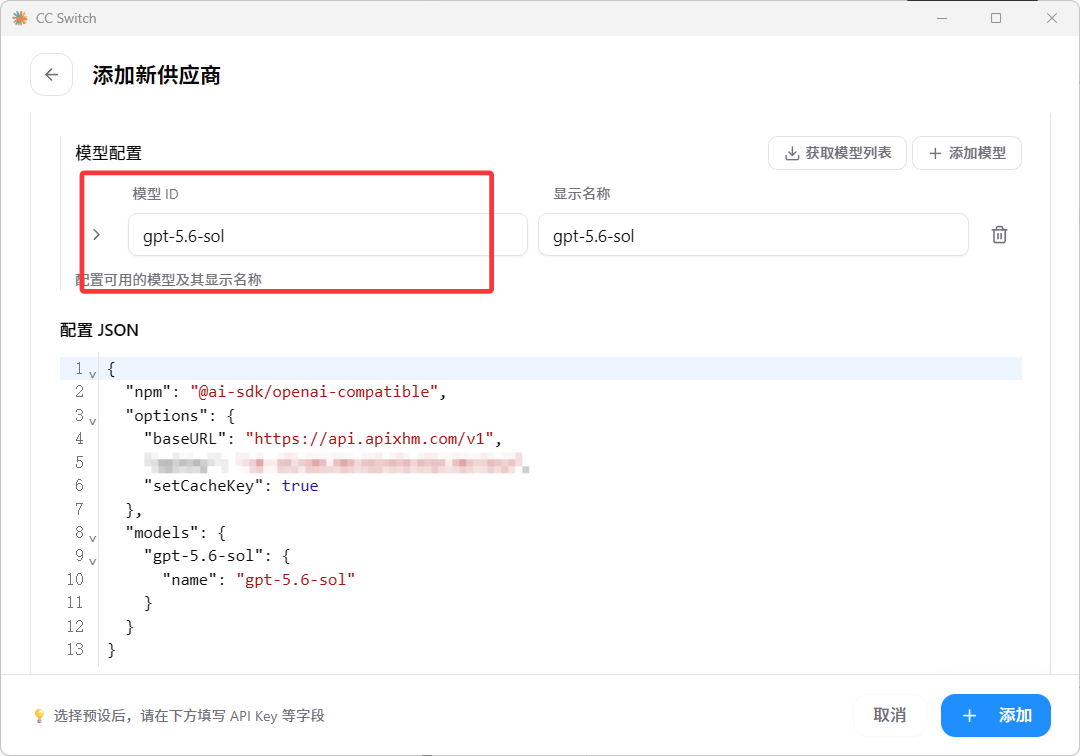
3. Add a model
Fetch the model list or add one manually using an ID from the Yuan API pricing page, then save.
4. Select and chat
Choose the model under the Yuan API provider and send hi.