
English
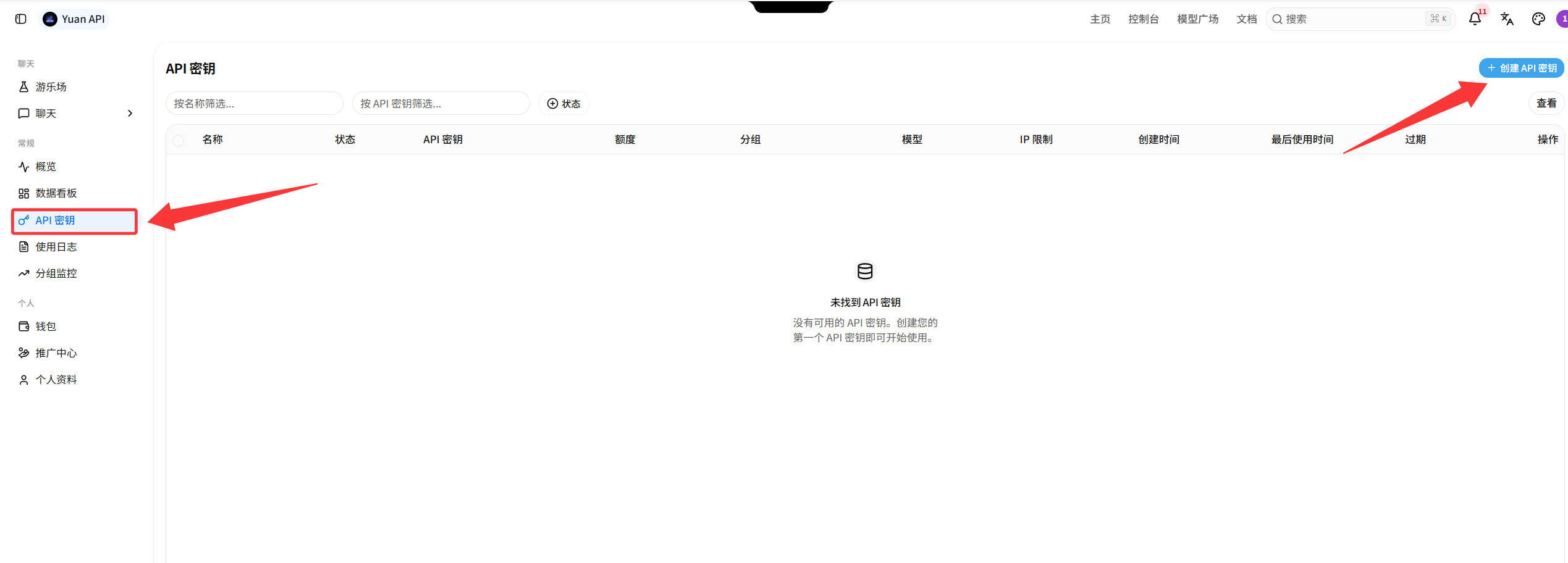
Create API Key
An API key is the credential used to call Yuan API.
1. Open API keys
Sign in and open API key management. Click “Create API Key”.
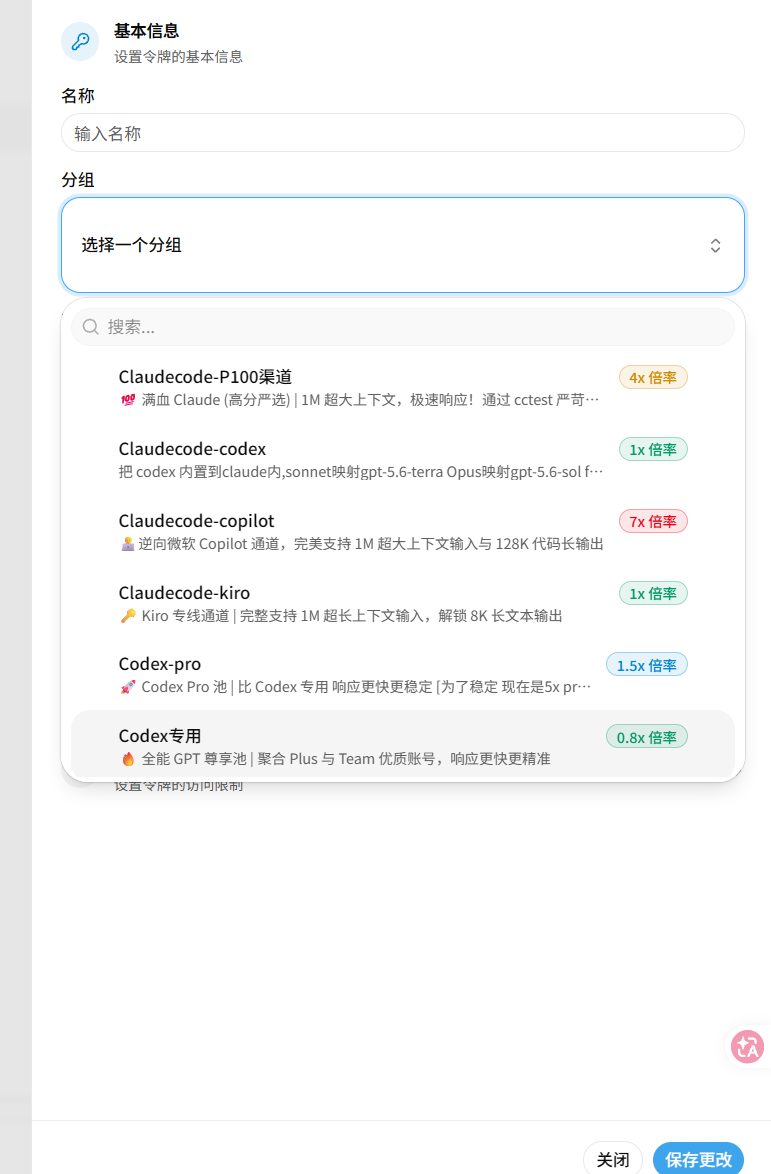
2. Enter the details
Enter a recognizable name and choose the group that matches your client and model. Follow the group options currently shown in the console, then click “Save” in the bottom-right corner.
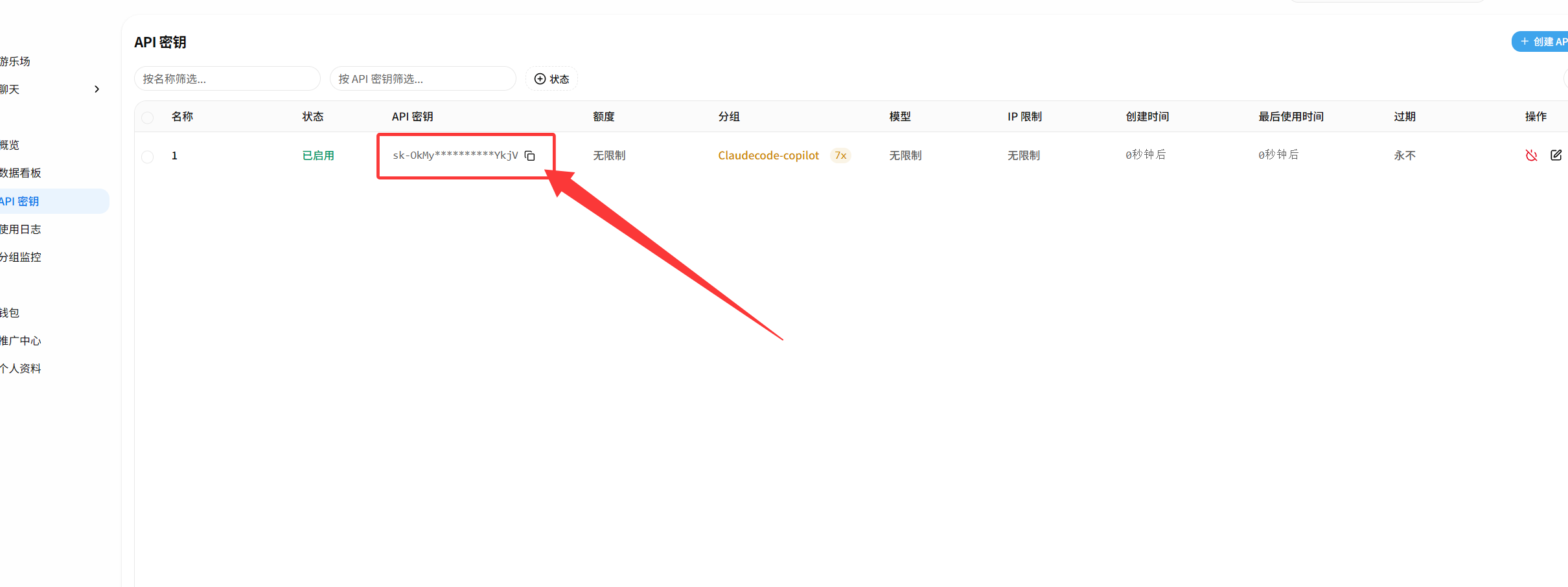
3. Copy the key
After creation, copy the key from the list or result dialog and store it in a password manager or environment variable.
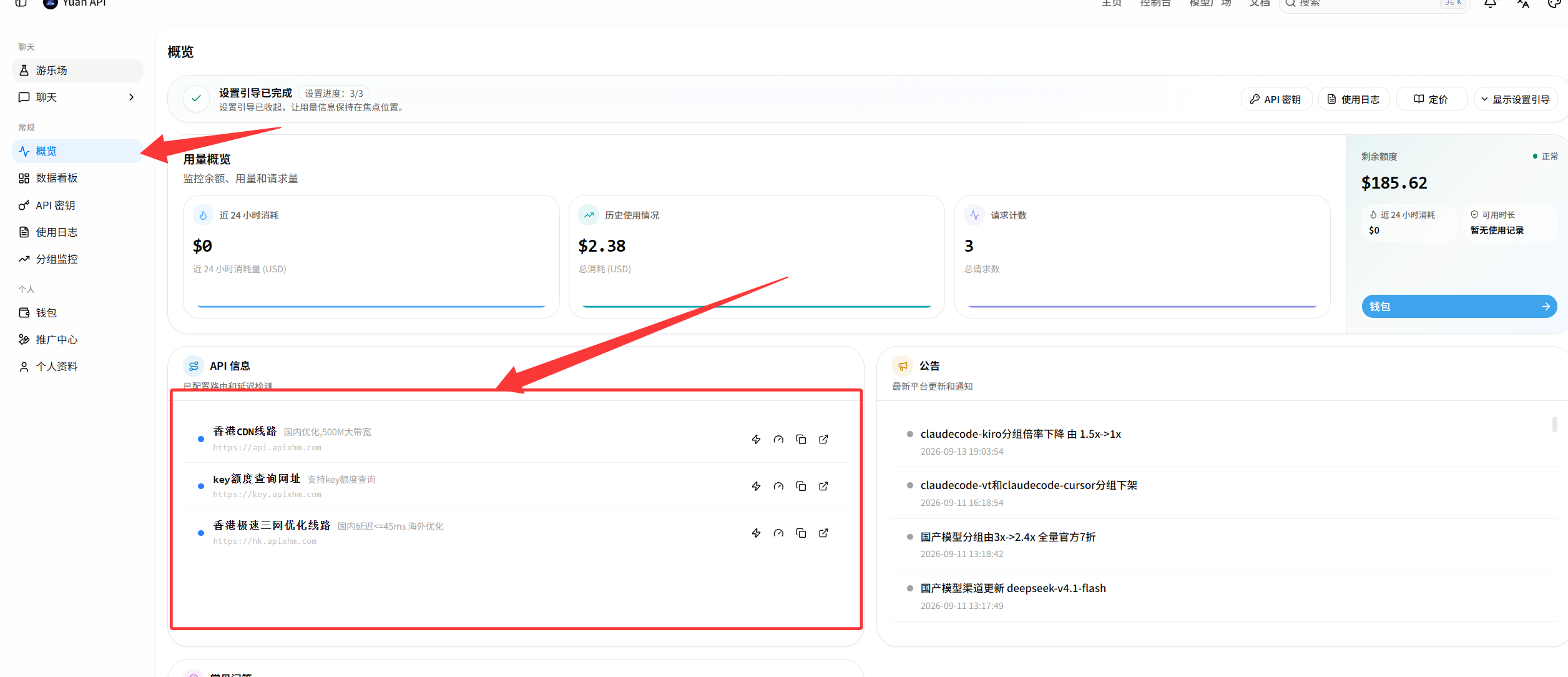
4. Use the correct endpoint
| Client | Base URL | Variable |
|---|---|---|
| Claude Code | https://api.apixhm.com | ANTHROPIC_AUTH_TOKEN |
| Codex | https://api.apixhm.com/v1 | OPENAI_API_KEY |
| OpenAI-compatible clients | https://api.apixhm.com/v1 | OPENAI_API_KEY |
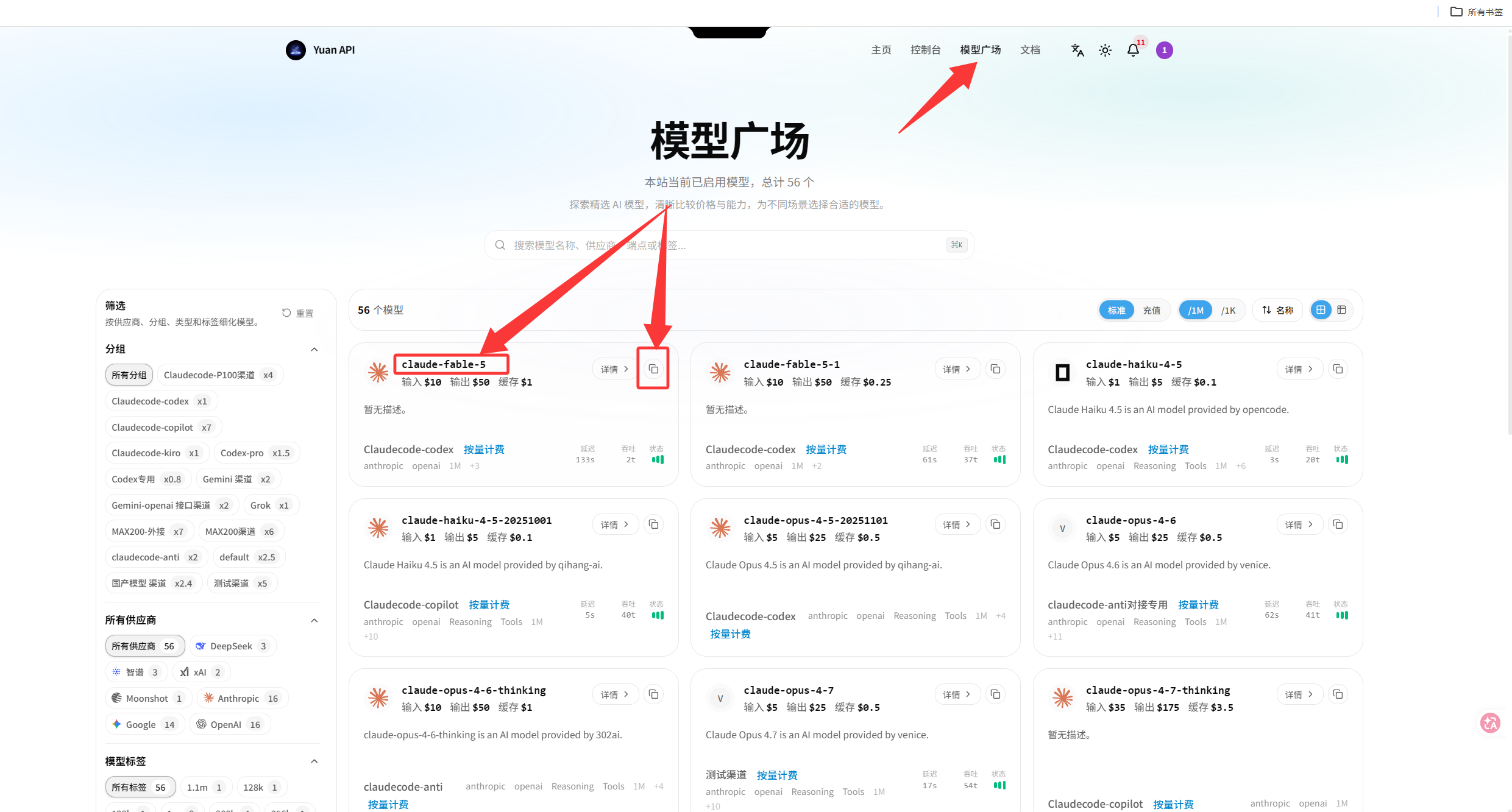
Copy the model ID from the Yuan API models and pricing page.
WARNING
Never publish a complete API key. Claude Code does not use /v1; Codex and OpenAI-compatible clients do.